Why I Built My Own MLB App (And Why the Official One Frustrated Me)
I want to tell you why this website exists, because I think the reason matters.
It started in June 2024, watching a game and getting pulled in by the scorebug in the corner of the screen.
Not the game itself. The scorebug. I started noticing how every broadcaster does it differently: ESPN’s looks different from Apple TV’s, which looks different from Netflix’s, which looks different from the regional Fox Sports feeds. Some are minimal, some are dense, some have personality. I loved seeing all the variations. And the more I watched, the more I thought: I have a frontend web development background. I could build one of these myself.
So I did. That was version one.
The Archive
Then the official MLB app frustration kicked in. Scores buried under promotions. No easy way to get to the data I actually wanted. No way to customize anything. It felt like a product built for casual fans who don’t really want to dig in, and I am not that person. So I kept building, adding the features I actually wanted. Then I rebuilt it. Then rebuilt it again. The current app is the fourth iteration, which is why there’s a “4” in the favicon. If you’re curious, the older versions are still up:
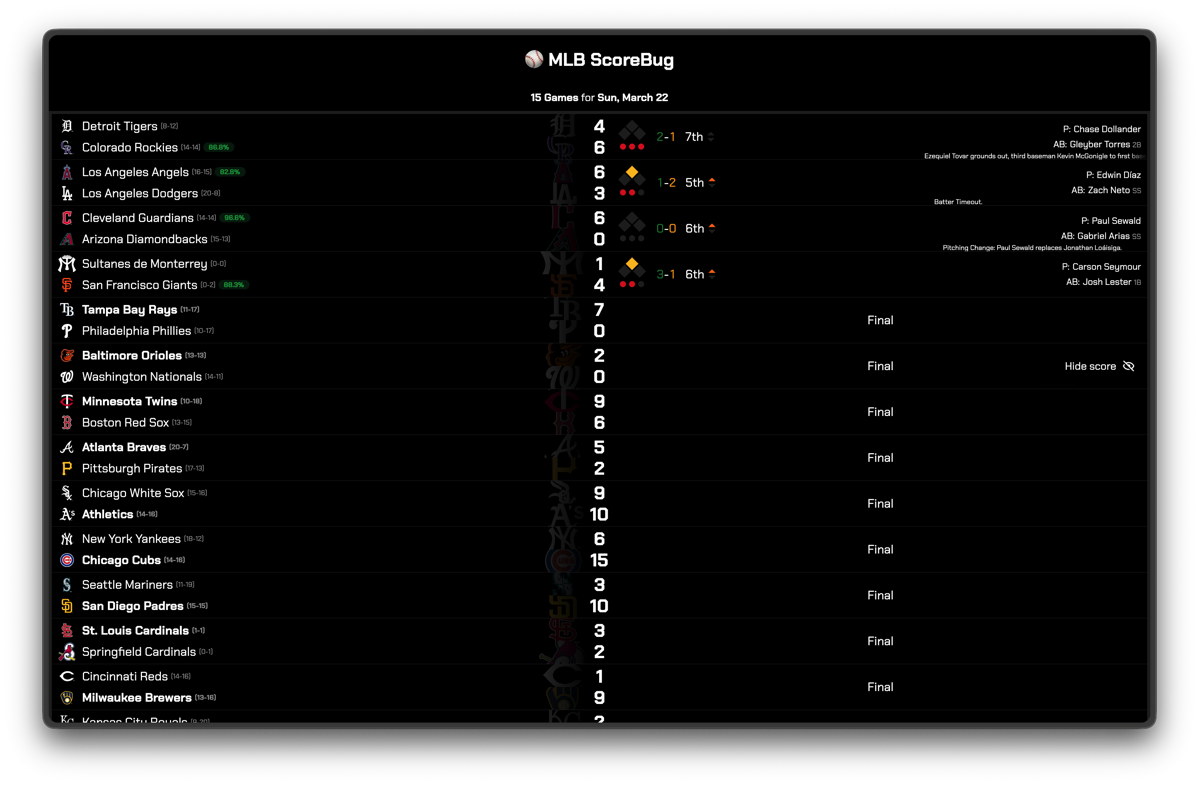
- sb1 (2024)
- sb2 (2024)
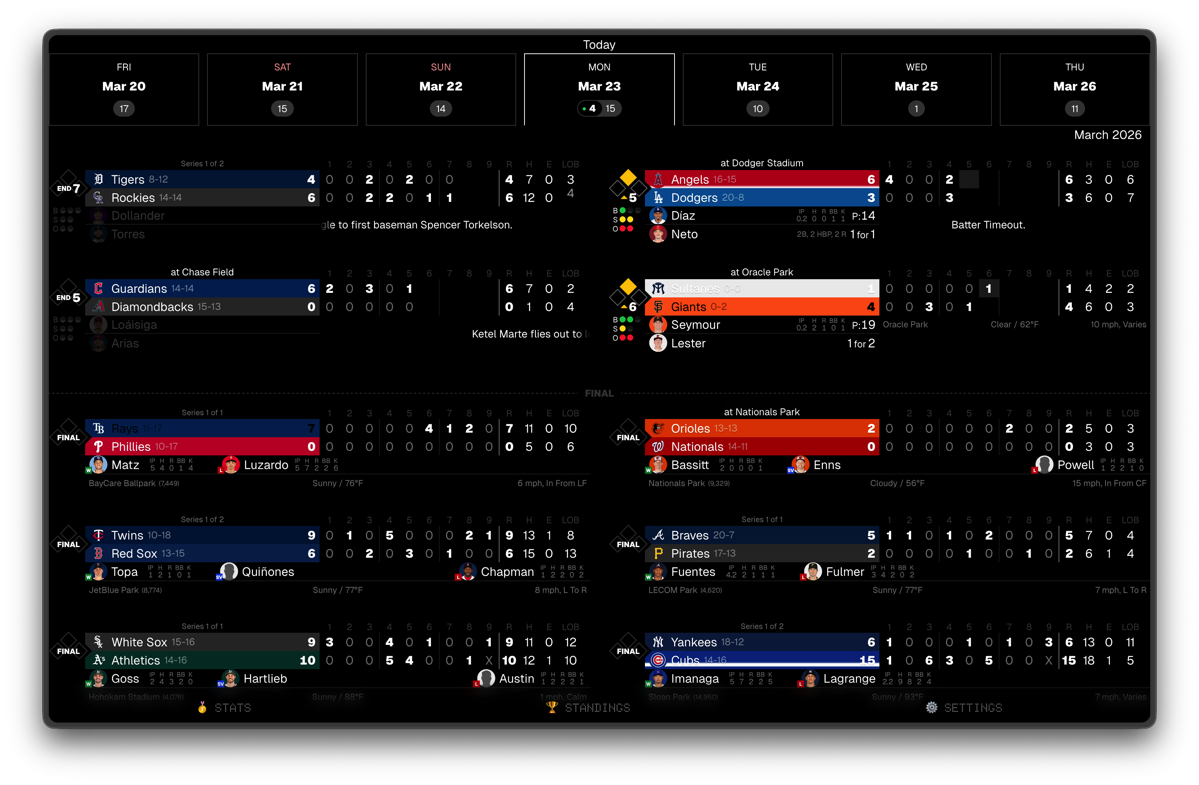
- sb3 (2025)
- Clubhouse (2025) — mimicing the styles from the Netflix documentary with the same name
Scorebug #1 (sb1)
Scorebug #3 (sb3)
The Official App Problem
I want to be clear: I’m not here to drag MLB or their product team. Building apps is hard. Baseball has more data than almost any other sport in the world, and surfacing it cleanly for a general audience while keeping advertisers happy while making it work on every device is a genuinely difficult product problem.
But the official app is, for my purposes, not good enough. And I suspect it’s not good enough for a lot of people who care as much about baseball as I do.
The issues aren’t bugs. The issues are choices:
Scores are buried under promotions. Player pages tell you the slash line but not the underlying metrics. Statcast data exists somewhere in the ecosystem but finding it requires knowing where to look and tolerating a UI that feels like it was designed for people who read baseball cards, not Fangraphs.
The game log experience, that pitch-by-pitch granularity that tells you what actually happened in an at-bat, is technically available and practically unusable.
I spent a season being annoyed by this. And then I stopped being annoyed and started building.
What I Actually Built (Scorebug #4)
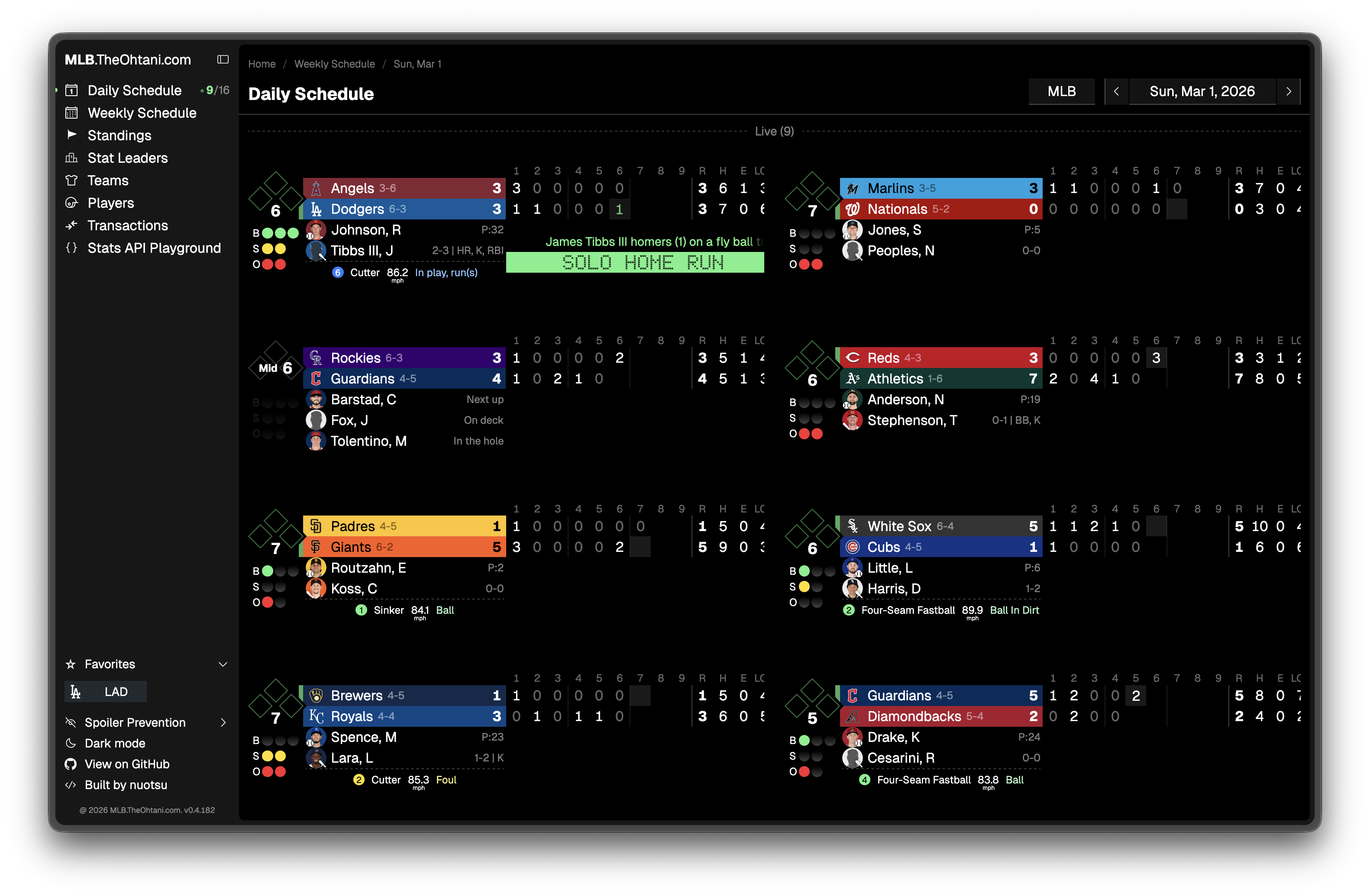
Mitchell’s Live ScoreBug is a baseball stats and live scores web app. The core idea is simple: everything you want to know about a game or a player, fast, with a design that doesn’t make you want to close the tab.
Live scorebugs that update in real time. Player profiles with year-by-year stats and hot/cold zone visualizations. Game logs where you can see what happened at-bat by at-bat, with base runners and pitch count. Leaderboards. Team pages. WBC coverage.
The design is minimal on purpose. Black background, clean typography, no ads. If you’ve used it, you know what I mean. If you haven’t, the goal is that it feels like a scoreboard and a baseball nerd’s notebook had a kid.
The Technical Reality
Here’s the honest version: building this was harder than I expected, and more interesting than I expected.
MLB’s public API is partially documented and largely reverse-engineered. There’s a semi-official stats API that the developer community has mapped out over years. There are internal infrastructure endpoints that I found by watching network traffic in browser DevTools while clicking around MLB.com at 2am. There are gaps in what’s available, quirks in how data is structured, and entire categories of information that require knowing the right query parameters to unlock.
I’m not complaining. Figuring that stuff out was genuinely fun. But it means the app is built on a foundation of real knowledge, not just “connect to the API and display the JSON.” I’ve had to understand the data to surface it correctly.
The frontend is SvelteKit. The design is built around a dark stadium aesthetic: scoreboards, not dashboards. The whole thing is built to be fast, because nothing kills sports apps faster than slow load times when you’re checking a score mid-inning.
Why I’m Writing About It
Two reasons.
First: I want this to be more than a personal project. I think there’s a real audience of baseball fans who want better tools: people who watch games with Statcast pulled up in another tab, who play fantasy and want data that goes beyond what ESPN surfaces, who are just curious about the sport at a deeper level. I built this for that person. I am that person.
Second: I’m submitting the app to design awards (I’ve ready won a couple small ones) and writing about the technical decisions because I think the behind-the-scenes stuff is interesting. Over the next few months I’ll be posting about how I reverse-engineered MLB’s API and what the SvelteKit architecture looks like under the hood. If you’re a developer who builds sports apps or just likes reading about how software gets made, that content is coming.
Use the app: live scores, Statcast data, player profiles, WBC coverage. 100% Free. No sign-ups required.
If something doesn’t work, or something you want isn’t there, let me know via email or filing an issue on GitHub. I’m actually reading the replies.
One last thing: if you got value from this app, starring the repo on GitHub means a lot. Not just personally, though it does, genuinely. Stars are also how open-source projects get discovered. They affect GitHub’s search ranking, show up in trending lists, and signal to other developers that something is worth looking at. It’s the simplest thing you can do to help this project reach more people. Takes two seconds.